
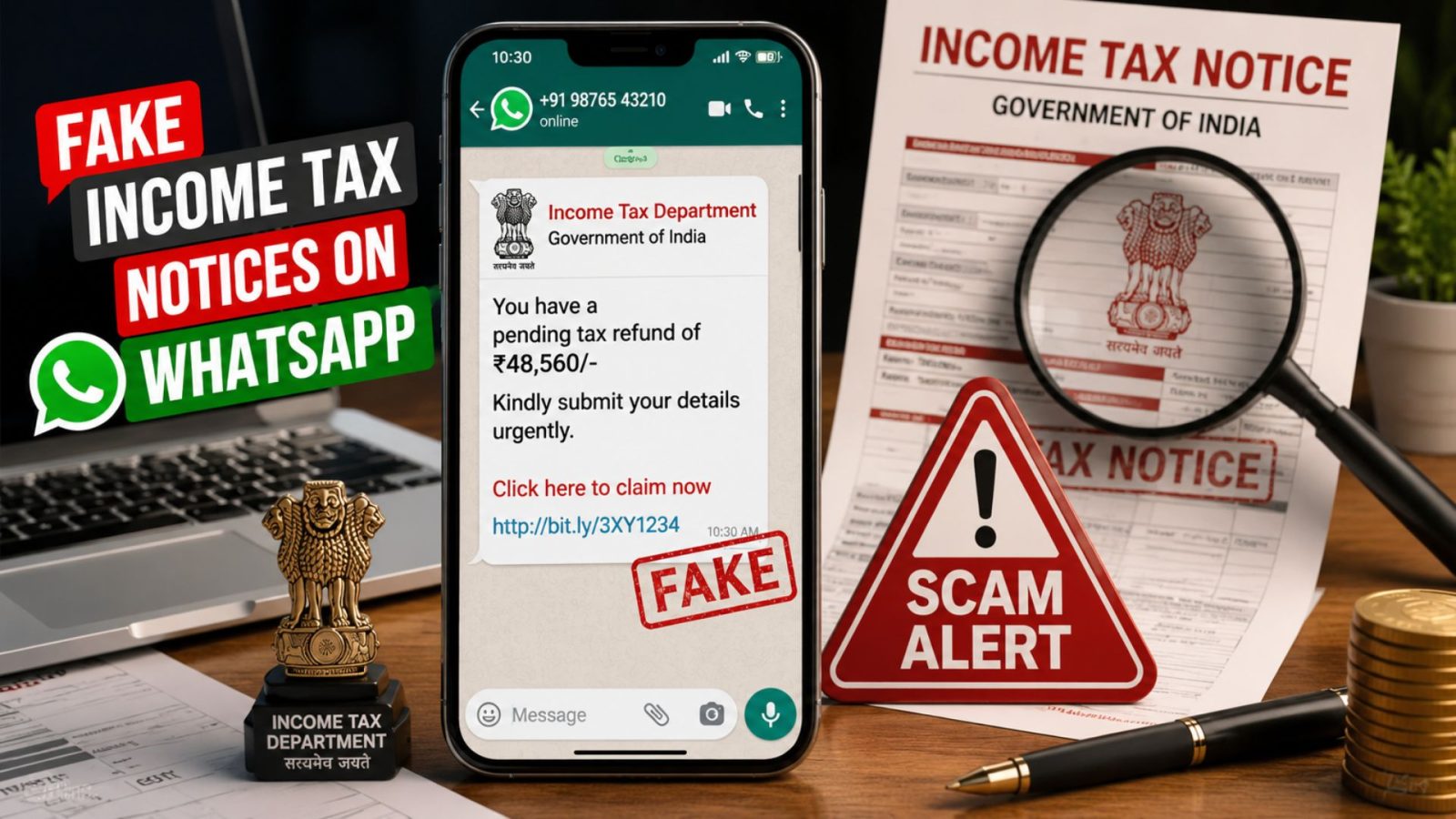
A WhatsApp message arrives with the Income Tax Department’s logo, official-looking language, and an urgent deadline that immediately creates panic. It looks genuine but it could actually be a scam. During the ITR filing season, cybercriminals are using fake Income Tax notices on WhatsApp to trick taxpayers into downloading malware or sharing sensitive financial information. If you’ve received a similar message, this guide explains how the scam works, how to identify a Fake Income Tax Notices on WhatsApp, and what to do immediately if you’ve already clicked on it.
Key Takeaways
- ✔ Fake Income Tax notices on WhatsApp often use forged government documents, urgent deadlines, and malicious links to trick taxpayers into revealing sensitive information.
- ✔ The Income Tax Department does not send official tax notices through WhatsApp or ask taxpayers to download ZIP, APK, or EXE files.
- ✔ Always verify any Income Tax notice through the official e-Filing portal before clicking links, downloading attachments, or sharing personal details.
- ✔ If you accidentally interact with a fake notice, immediately disconnect your device, secure your banking accounts, change passwords, and report the incident to the appropriate cybercrime authorities.
- ✔ Common warning signs include unknown senders, payment demands, suspicious attachments, fake website URLs, and requests for OTPs or banking credentials.
- ✔ Staying informed and following official verification procedures is the best way to protect yourself from Income Tax scams during the ITR filing season.
What Are Fake Income Tax Notices on WhatsApp?
Fake income tax notices are fraudulent messages designed to look like official communication from the Income Tax Department. They typically arrive on WhatsApp from unknown numbers or compromised business accounts, carry the Government of India emblem, quote real sections of the Income Tax Act, and are signed by a fictitious officer. The goal isn’t just to scare you, it’s to get you to open an attached file or click a link that installs malware or steals your banking details.
These aren’t isolated incidents. Cybersecurity researchers have tracked an organised, large-scale campaign built specifically around this year’s ITR filing window, and the pattern is consistent enough that recognising it takes only a few seconds once you know what to look for.
Why Are These Tax Scams Increasing During ITR Season?
Scammers time these campaigns to exploit three things that peak every year around July–September:
- Tax refund season — millions of taxpayers are actively expecting a refund credit, so a “refund pending” message feels plausible and welcome.
- High taxpayer activity — with so many people genuinely filing returns, checking notices, and correcting mismatches, a fake notice blends in with real activity.
- Fear-based phishing — messages citing penalty sections and a strict 72-hour deadline are built to trigger panic, which short-circuits the instinct to verify before acting.
Scammers aren’t relying on advanced hacking, they’re relying on urgency doing the work for them.
How the Fake Income Tax WhatsApp Scam Works?
The scam typically follows a five-step pattern:
- The victim receives a WhatsApp message from an unknown number or a random forwarded group, often carrying names unrelated to any tax authority.
- A fake Income Tax notice is attached — a bilingual “Office Memorandum” with a real-looking reference number, the government emblem, and a fabricated officer’s signature.
- The user clicks a ZIP, APK, or PDF link, usually via a “Download Documents” button that leads to a cloned website hosted on a cheap, throwaway domain, never the real incometax.gov.in.
- Malware gets installed silently in the background once the file is opened, disguised as a document.
- Banking credentials and OTPs get stolen as the malware runs in the background, capturing what the victim types and intercepting SMS-based one-time passwords.
If your work involves cross-border filings, this is worth reading alongside our complete NRI ITR filing guide, so you know exactly what a genuine filing communication actually looks like.
Common Types of Fake Income Tax Scams
The WhatsApp notice is only one variant. Related scams circulating this season include:
- Fake tax refund messages claiming a refund is stuck pending “verification.”
- Fake Income Tax notices citing penalty sections like 271(1)(c) or 276C.
- Fake e-filing portal links that clone the real portal’s login page to steal your credentials.
- Fake PAN verification requests asking you to “re-verify” your PAN by uploading a copy.
- Fake refund processing fees demanding a small “processing charge” before a refund is released, genuine refunds never require a fee.
- Fake KYC update messages impersonating your bank or the tax portal to harvest login details.
10 Warning Signs of a Fake Income Tax Notice
Use this checklist the moment any tax-related message reaches you outside the official portal:
- It arrives on WhatsApp instead of the official portal or registered email.
- It’s sent from an unknown personal mobile number, not an official government channel.
- It includes a ZIP, APK, or executable file attachment.
- It demands urgent or immediate payment.
- It uses threatening or intimidating legal language.
- It has poor grammar, odd spacing, or inconsistent formatting.
- Any linked website uses a URL that isn’t incometax.gov.in.
- It asks you to share an OTP.
- It asks for your bank PIN or card details.
- It asks for a copy of your Aadhaar or other ID proof over chat.
If even one of these applies, treat the message as fraudulent and stop engaging with it immediately.
Contact Us
How to Verify Whether an Income Tax Notice Is Genuine
Before reacting to any notice, confirm it through official channels only:
- Login to the Income Tax portal at incometax.gov.in using your own credentials never through a link someone sent you.
- Check e-Proceedings under your dashboard; every genuine notice appears here first.
- Verify the DIN (Document Identification Number) every authentic communication carries one, and it can be checked directly on the portal.
- Verify the email domain genuine department emails come only from @incometax.gov.in, never a generic Gmail or lookalike domain.
- Never trust WhatsApp alone as proof of anything tax-related, regardless of how official it looks.
This same verification habit matters if you’re an NRI managing filings remotely — our guide on determining your residential status correctly is a good companion read, since scammers often specifically target NRIs who can’t easily walk into a local IT office to confirm anything in person.
What Should You Do If You Receive a Fake Tax Notice?
- Don’t click any links in the message, even out of curiosity.
- Don’t download attached files — ZIP, APK, or PDF, regardless of how it’s named.
- Block the sender immediately on WhatsApp.
- Report the scam through official cybercrime channels (details below).
- Scan your device with updated antivirus/anti-malware software if you’ve already opened the file.
- Change your passwords for banking, email, and the tax portal as a precaution.
- Inform your bank immediately if you suspect any credentials may have been compromised.
How to Report Fake Income Tax WhatsApp Scams?
Report suspicious messages through these official channels:
- Income Tax Department — forward the message details via the “Report Phishing” section on incometax.gov.in.
- National Cyber Crime Reporting Portal — file a complaint at cybercrime.gov.in.
- 1930 Cyber Helpline — call this number immediately if any money has already been debited.
- Local police cybercrime cell — file a formal FIR if financial loss has occurred.
Acting within the first few hours of a fraudulent transaction significantly improves the chance of a bank reversal, so speed matters more than anything else here.
How NRIs Can Stay Safe from Tax Scams?
NRIs are frequently targeted precisely because they’re managing Indian tax matters remotely and may be less familiar with what a genuine communication looks like. Keep these habits in place:
- Never share PAN copies over WhatsApp or email in response to an unsolicited request.
- Don’t share OTPs with anyone, including callers claiming to be from the tax department or your bank.
- Use only official portals for filings, refund checks, and document verification bookmark them directly rather than clicking through search results or messages.
- Enable two-factor authentication on your e-filing account and linked email.
- Verify every notice independently before responding, even if it references accurate personal details scammers often already have partial data from earlier breaches.
For a full walkthrough of which documents are genuinely required for compliance, so you know what’s normal to be asked for and what isn’t see our NRI PAN card guide.
If you’ve accidentally fallen victim to a tax scam or you’re unsure whether an Income Tax notice is genuine or fake, don’t panic. Connect with NRITaxs, and our tax experts will review your notice, help verify its authenticity, and provide the right guidance to protect you from potential fraud.
Tips to Protect Yourself During Every ITR Season
- Use only the official website — incometax.gov.in for every filing, refund check, or notice response.
- Never install an APK sent through chat, regardless of who appears to have sent it.
- Verify refund status directly on the portal rather than through any linked message.
- Keep antivirus software updated on both mobile and desktop devices.
- Ignore urgency — genuine tax communication never demands action within hours.
Conclusion
Fake income tax notices on WhatsApp work because they’re built on urgency, not sophistication. The moment a message asks you to download something or act within hours, that’s your cue to stop and verify through the official portal instead. Staying safe this ITR season comes down to one simple habit: never trust a tax notice you didn’t go looking for yourself.
Need help verifying a notice or filing your return safely? Talk to a NRITaxs.com tax expert today, we’ll help you confirm what’s genuine and what isn’t, so you can file with confidence.
Disclaimer
The content published on NriTaxs is intended for informational purposes only and does not constitute legal, tax, or financial advice. Readers are encouraged to consult qualified professionals before making any decisions based on the information provided.


Related Articles